In order to eliminate the guesswork commonly associated with configuring fieldbus function blocks, the DeltaV system provides enhanced selections for configuring all fieldbus function blocks' CHANNEL and XD_SCALE parameters. The fieldbus function blocks must be assigned to fieldbus devices that support these enhanced selections.
The enhanced selections for configuring the CHANNEL and XD_SCALE parameters are available in Control Studio and DeltaV Explorer.
CHANNEL Parameter
For the CHANNEL parameter, the DeltaV system displays the channel numbers and channel descriptions from the device's Device Definition (DD) file in the form channel number - description. Only the channel numbers and descriptions that are relevant to the device are displayed. The following image shows the CHANNEL value selections for a Rosemount Inc. 3051 fieldbus Pressure Transmitter, revision 23.
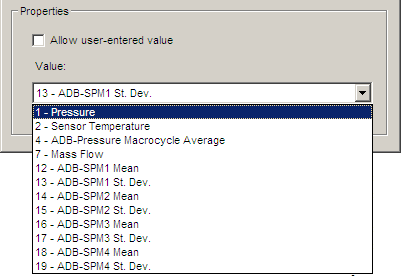
If a value needed for your configuration does not appear in the list, click the Allow user entered value option and enter another value for this device. This feature also allows for backward compatibility.
XD_SCALE Parameter
For the XD_SCALE parameter, the DeltaV system displays the relevant engineering units from the device's DD file. Only the engineering units that are relevant to the device are displayed. The following image shows the XD_SCALE value selections for a Rosemount Inc. 3051 fieldbus Pressure Transmitter, revision 23.
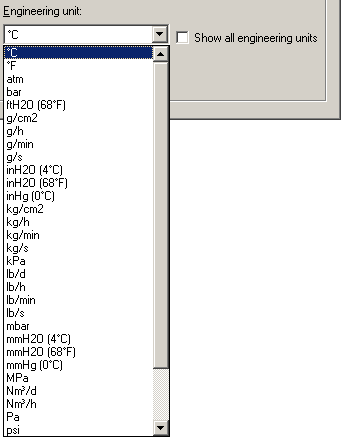
If an XD_SCALE value needed for your configuration does not appear in the list, click the Show all engineering units option to see a complete list of engineering units in the system.
To use the enhanced CHANNEL and XD_SCALE parameter values you must: