Use the Electronic Signatures Properties dialog to enable electronic signature support in DeltaV Live, DeltaV Operate and Control Studio online and to allow the confirmer and verifier to be the same person.
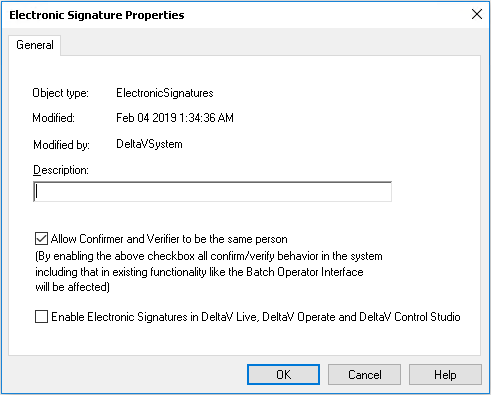
Enabling electronic signatures from this dialog enables the electronic signature capability in DeltaV Live, DeltaV Operate and Control Studio online. If electronic signatures are not enabled here, no signatures are required for any write. Before electronic signatures can be used, you must enable electronic signatures for the process areas in which the modules reside and define a signature policy for the modules. If electronic signatures is not enabled for an area, no signatures will be required for writes to modules in that area. To enable electronic signatures in a process area, select Properties from the area's context menu and select Enable Electronic Signature. It is necessary to download the Setup data after making a change to electronic signature properties. When the change affects either the Batch Executive or the Campaign Manager, those subsystems must be downloaded.