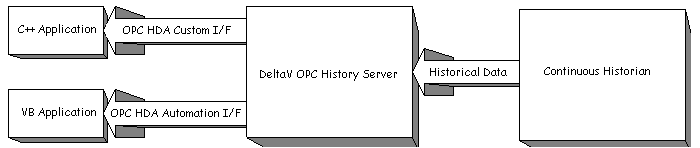
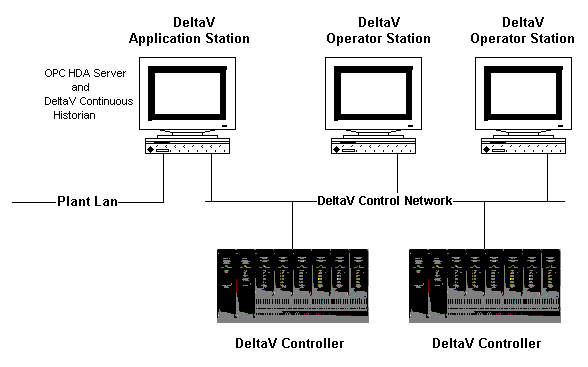
The DeltaV Application Station acts as a gateway between the DeltaV Continuous Historian and other applications and networks. The DeltaV OPC History Server runs on this workstation, providing DeltaV historical data access to applications that are running either on the Application Station or on a machine with a network connection to the Application Station. The DeltaV OPC History Server also runs on the ProfessionalPLUS workstation.
In order to run an OPC HDA client on a non-DeltaV workstation, you must install the OPC Remote application. To install the OPC Remote application, run the setup.exe program located in the DV_Extras\OPCRemote folder on DeltaV installation disk #4. The version must be the same as the installed version of the DeltaV software.
To uninstall OPC Remote, go to Programs and Features in Windows Control Panel and select OPC Remote from the list. Click the Change/Remove button and follow any dialogs presented. Connection to the DeltaV OPC Server is not available from the workstation when OPC Remote is uninstalled.
OPC HDA client applications can use the COM compliant Custom Interface or the OLE Automation Interface of the OPC HDA server. The custom interface supports clients written in C++. The OLE Automation Interface supports higher level business applications, such as Excel and Visual Basic.