In a DeltaV system, a Profibus PA network attaches to a Profibus DP
network through a Pepperl+Fuchs PROFIBUS DP/PA coupler. A Profibus DP network
consists of a Profibus DP master, transparent configurable or non configurable
DP/PA couplers, and Profibus PA slaves. A Profibus PA slave can support both
process input and output data on a host system such as the DeltaV system or it
can support only process input or only process output data. A maximum of 244
bytes of input values and 244 bytes of output values are allowed. The following
table shows the supported number of Profibus PA slaves per device.
Profibus PA supports only compact slave types. A Profibus module,
referred to as a Slot in the DeltaV system, is a function such as analog input
or analog output or discrete input or discrete output, that can be added to a
Profibus PA device's configuration. The configuration for a compact device is
generated based on a fixed number of modules in a particular order. A Device
Definition, identified by the revision level for the device, is available for
every Profibus PA slave . The Device Definition is used to identify the
Profibus PA device and contains information that makes it possible for
manufacturer-independent configuration tools such as the DeltaV Explorer to
configure Profibus PA slaves . The Device Definition is described in a
manufacturer-supplied text file with a .GSD extension. Device Definition files
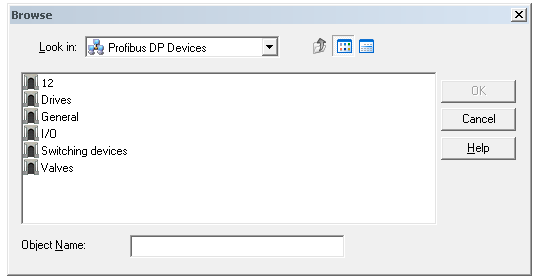
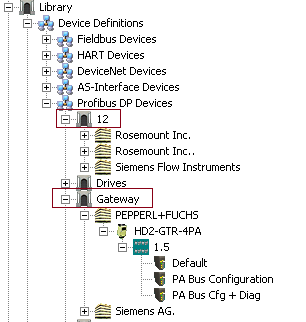
for Profibus PA devices reside in the DeltaV Library under
. Device Definitions
for the Pepperl+Fuchs Profibus DP/PA coupler reside under
:
The port on the DeltaV Profibus DP card is the Profibus DP master and acts as the interface between the Profibus network and the DeltaV system. You use the DeltaV Explorer to add the DeltaV Profibus DP card and configure your Profibus slaves . To browse to a Profibus PA slave in DeltaV Explorer select 12 in the Browse dialog.