Virtual I/O Modules (VIM)

Create datasets for VIM diagnostics

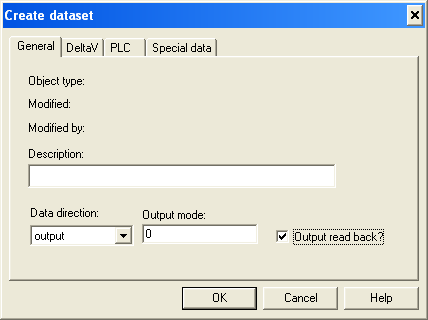
  1. On the General tab configure the data direction to be input or output, as required for your application. 
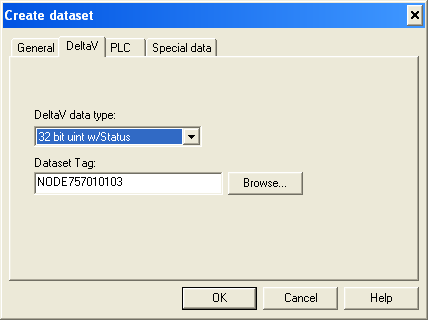
  2. Next, click the DeltaV tab as shown below. 
  3. In the DeltaV data type field, select 32 bit unit w/Status
  4. Click OK.
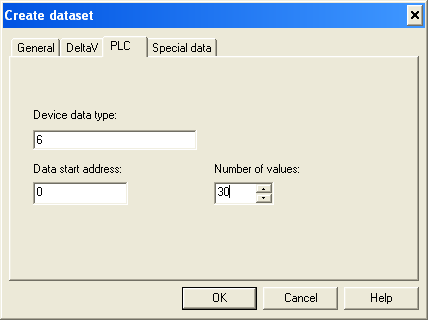
  5. Open the PLC tab.
  6. Configure the Device data type. For VIM Diagnostics, enter the Device data type as 6. 
  7. The Data start address is always 0. 
  8. The Number of values is 30.
  9. Click OK to close the dialog.
    The Special data tab is not used for this dataset.

A special case of this dataset is to control redundancy switching at the DeltaV Control Module level. This capability is enabled only if the VIM is configured as redundant. In this case, this dataset should be configured with Data direction as Output, and the Output read back check box should be checked as follows: