Some function blocks have extensible parameters. That is, you can extend or increase the number of this type of parameters. For example, you might need to extend the number of inputs on a function block so that you can input more values to the block without having to add more blocks to your diagram. The function blocks that are extensible are: Add, And, Boolean Fan Input, Boolean Fan Output, Calculation/Logic, Multiply, Multiplex, Or, and Signal Selector.
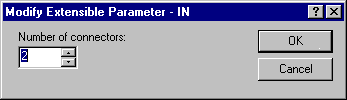
For example, the standard Add block from the palette has two inputs. When you want to add four values together, you extend the number of inputs by right-clicking the block, and then changing the inputs number from 2 to 4. The following picture shows the dialog that you use to increase the inputs of an Add block:
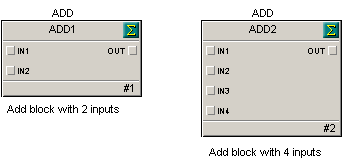
After you increase the number, the additional parameters show on the function block diagram and you can wire inputs to these parameters. Add blocks with two and four inputs are shown in the following figure.