The Special Items palette contains objects you use to create algorithms.
|
Icon |
Diagram |
Description |
|---|---|---|

|
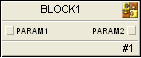
|
Composite Block – An SIS composite block holds an algorithm or a portion of an algorithm that you can use multiple times. |

|

|
Non-Secure Parameter Reference – A reference parameter that brings data from a control module or another SIS module into an SIS module. |

|

|
Internal Read Parameter – A parameter normally used only within a module. |

|

|
Internal Write Parameter – A parameter normally used only within a module. |

|

|
Input Parameter – A value from another function block supplied to an SIS composite for use in execution. |

|
|
Output Parameter – A value calculated or triggered by the module and sent to other function blocks. |

|
|
Secure Parameter – Use with a Secure Parameter Reference to transfer Boolean data between SIS modules. Secure Parameter value and status are preserved on download. |

|
|
Secure Parameter Reference – Use with a Secure Parameter to transfer Boolean data between SIS modules. |



The objects that appear in the Special Items palette depend on whether you are creating an SIS module (or SIS module template) or an SIS Composite block. The Input Parameter appears only for SIS composite blocks. The Composite Block, Non-Secure Parameter Reference, Secure Parameter, and Secure Parameter Reference objects appear only when you are creating an SIS module or SIS module template.