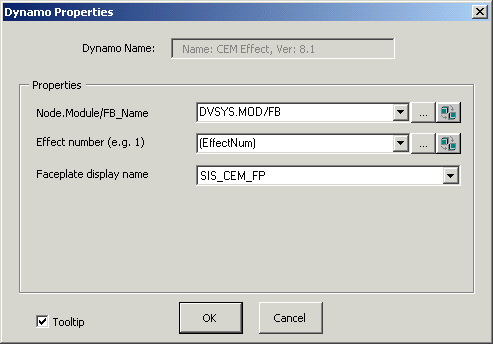
The LSCEM function block has a single dynamo which is used multiple times for a given LSCEM function block when the block has more than one Effect. The parameters in the dynamo are associated with a single Effect of the block. When you add this dynamo to a picture, the Dynamo Properties dialog prompts you to enter both the path to the LSCEM block and the Effect number. If you prefer to use a custom faceplate rather than the default faceplate, enter its name in the Faceplate display name field. The Dynamo Properties dialog is shown below:
The CEM_Effect_ dynamo from the frsSIS_Theme dynamo set is shown below as it appears in Configure mode. (The descriptions, however, are for the behavior in Run mode.)
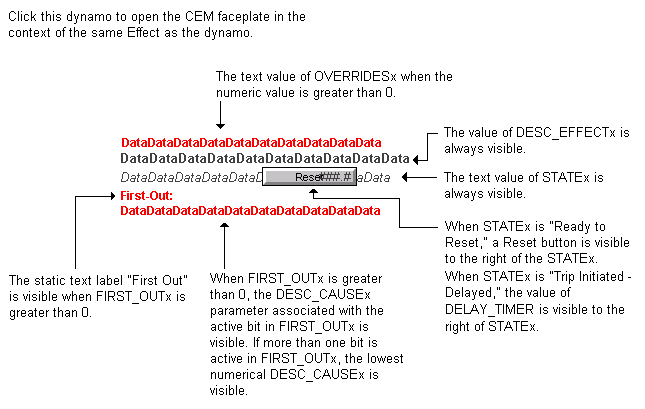
The CEM_Effect dynamo from the frsSIS dynamo set is the same as the _Theme version except includes a faceplate button:
