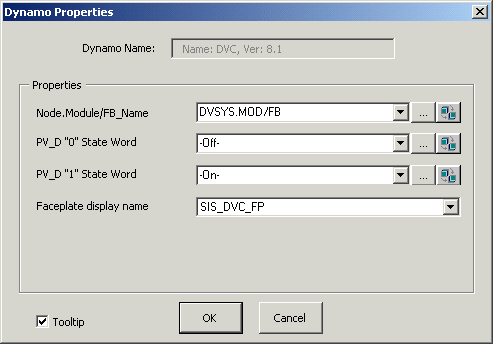
The LSDVC function block has a single dynamo similar to the LSDO function block dynamo. When you add this dynamo to a picture, the Dynamo Properties dialog prompts you to enter the path to the LSDVC block and to enter off/on feedback words such as Closed and Open. (The maximum number of characters for the PV_D "0" State or "1" State word is 24.) If you prefer to use a custom faceplate rather than the default faceplate, enter its name in the Faceplate display name field. After you edit the off/on feedback words, the edit boxes become inactive. The Dynamo Properties dialog is shown below:
The DVC_ dynamo from the frsSIS_Theme dynamo set is shown below as it appears in Configure mode. (The descriptions, however, are for the behavior in Run mode.)

The DVC_ dynamo from the frsSIS dynamo set is the same as the _Theme version except the alerts indicator is replaced with a faceplate button:
