The faceplate display for the SEQ function block, SIS_SEQ_fp, is opened in runtime from a button on the SEQ dynamo on the primary (or other) display. The faceplate display consists of the main display area , a "close picture" button, a pushpin button, and "open module faceplate" button, and the function block path. The pushpin button appears when multiple faceplate capability has been enabled in UserSettings.grf. When multiple monitor capability has been enabled, a display selector appears to the right of the pushpin.
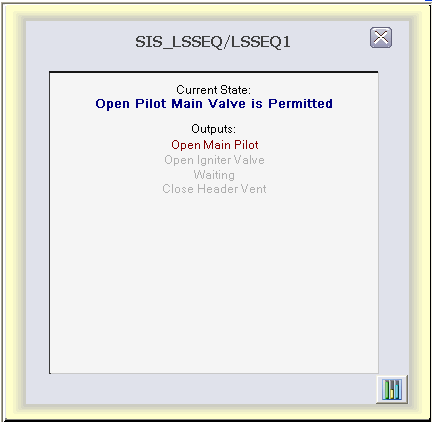
The main display area has a text label (Current State) and the STATE parameter, always visible, showing the current state of the block.
Below the text label "Outputs" there is a column of text descriptions of DESC_OUTx parameters whose color is based on the value of OUT_Dx and the global color table SIS_Seq. The descriptions of outputs whose value is True in the current state are shown more prominently than those whose value is False.