The faceplate display for the STD function block, SIS_STD_fp, is opened in runtime from a button on the STD dynamo on the primary (or other) display. The faceplate display consists of the main display area, a "close picture" button, a pushpin button, an "open module faceplate" button, and the function block path. The pushpin button appears when multiple faceplate capability has been enabled in UserSettings.grf. When multiple monitor capability has been enabled, a display selector appears to the right of the pushpin.
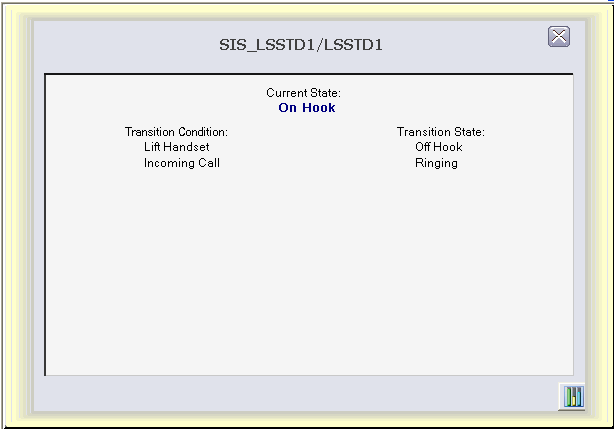
The main display area has a text label (Current State) and the STATE parameter, always visible, showing the current state of the block. There are two columns of conditionally visible text strings.
The left column header has the label "Transition Condition," and the right column has the label "Transition State," always visible. In the left column, DESC_INx parameters are visible, based on the value of VALID_TRANS. This results in text descriptions being visible for those inputs currently being evaluated by the block.
The right column has a text string visible to the right of each visible string in the left column, indicating the state to which the block will transition if that input becomes True. The text string is one of the opsel states of STATE based on MATRIX and VALID_TRANS.