DeltaV Operate uses the secure
write mechanism for all changes to parameters in SIS modules. You can create
writeable datalinks using the SIS Data Entry Expert. The button for the SIS
Data Entry Expert is on the DeltaV Operating Experts toolbar; it is similar to
the button for the DeltaV Data Entry Expert, but it has a yellow background.
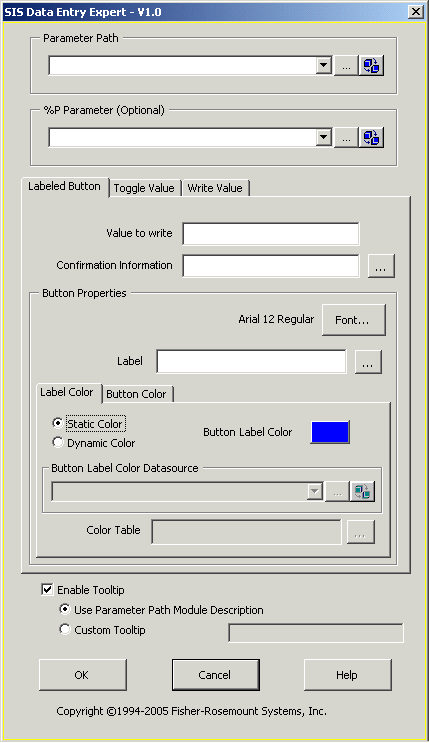
The SIS Data Entry Expert creates one of three graphical objects: labeled
button, toggle value, and write value (numeric) datalink.
DeltaV Operate uses the secure
write mechanism for all changes to parameters in SIS modules. You can create
writeable datalinks using the SIS Data Entry Expert. The button for the SIS
Data Entry Expert is on the DeltaV Operating Experts toolbar; it is similar to
the button for the DeltaV Data Entry Expert, but it has a yellow background.
The SIS Data Entry Expert creates one of three graphical objects: labeled
button, toggle value, and write value (numeric) datalink.
To create an SIS datalink, click the SIS Data Entry Expert to open the configuration dialog, which is shown below. Use the dialog to configure the data source and appearance of the data on the picture. The dialog has three tabs (Labeled Button, Toggle Value, and Write Value) that are described further in this topic. If any non-SIS object is selected when the SIS Data Entry Expert is invoked, only the Write Value tab is available; if an SIS object is selected, the appropriate tab is made available and the two others are disabled.