DeltaV Live uses the Secure Write Mechanism to write parameters in SIS
modules. To implement the Secure Write Mechanism in DeltaV Live, use one of the
following methods:
- Create a SIS Write Value to Destination action on any element that supports interactions (such as a button or checkbox).
- Configure a datalink to allow SIS Secure Writes. (For the data source's Writes property, select SIS write.)
The following is an example of a secure write confirm in DeltaV Live:
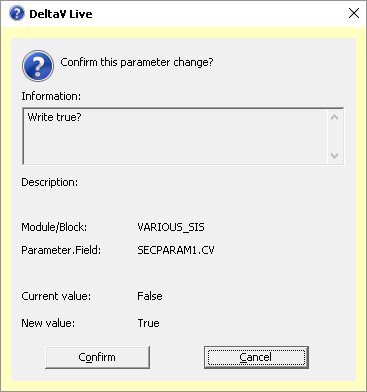
Figure: Confirm Dialog in DeltaV Live
If Electronic Signature is enabled for a parameter, the Electronic Signature dialog appears ahead of the secure write confirmation dialog. After the Electronic Signature is completed, the secure write confirmation dialog is displayed. If the Electronic Signature is not completed, the secure write will not be attempted and the secure write confirmation dialog will not appear.