Logic Solver (SLS) terminal blocks are yellow to distinguish them from other terminal blocks.
Locate an odd slot number on the I/O interface carrier. Simplex terminal blocks take two slots and redundant terminal blocks take four slots.
Insert the tabs on the back of the terminal block through the slots on the carrier and push the terminal block up to lock it into place.
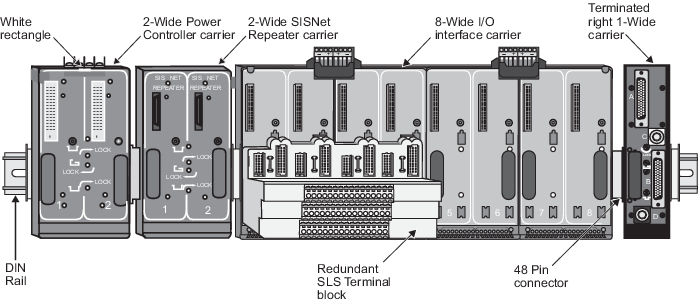
The following image shows a redundant terminal block installed on an I/O interface carrier.
Figure: Redundant terminal block installed on carrier
Connect the field wiring.
Note
The Logic Solver terminal blocks have tabs for quick release. Simplex Logic Solver terminal blocks have one tab and redundant Logic Solver terminal blocks have two tabs.