Use the DeltaV Login program to log on to the DeltaV system.
- Click
.
The DeltaV Logon program opens.
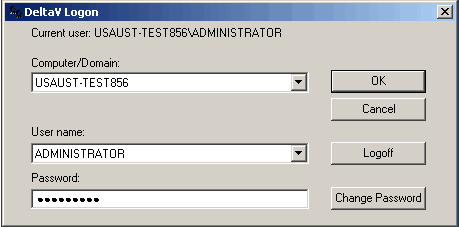
- If your name and computer or domain appears after Current user:, you are already logged on to the DeltaV system.
- If <none> or another user name appears after Current user:, find your name in the User Name drop-down list, enter your user password, and click OK. Contact your system administrator if you do not know your user name or password or if your user name is not listed in the User Name drop-down list.
- If another user name appears after Current user:, find your name in the User Name drop-down list, enter your password, and click OK. Contact your system administrator if you do not know your user name or password or if your user name is not listed in the User Name drop-down list.
Note
You can also use the Windows Run command to log on and off of the DeltaV system.
To log on and off (respectively) of the DeltaV system using the Windows Run command, perform the following steps: