The Register Database from Files tool makes the selected database known to the DeltaV workstations.
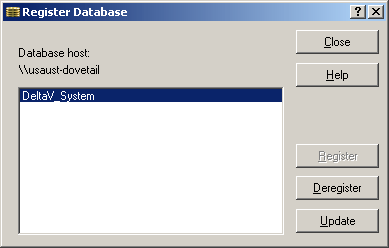
You use the Register Database from Files tool when any workstation on the same system is having trouble recognizing the existence of the database. You can test this by looking in the Set Active Database tool. If the database is not showing up in the list of databases, you need to register the database and set it as active.
There might be times when you need to deregister a database using the Register Database from files tool. This removes the database name from the list of possible databases to use. Deregister a database with the Register Database from Files tool if you see a decommissioned (deleted) database in the Set Active Database list.
Normally the Register and Deregister functions occur automatically when using the Database Administrator tools to create, move, copy, rename, or delete the DeltaV databases.