In a previous procedure, you created a control module using DeltaV
Explorer to copy a module template. In this procedure, you will create a
control module using Control Studio to open a module template for a block
valve.
Open Control Studio.
To choose a template from the library, click the
Main button
, and then click
New.
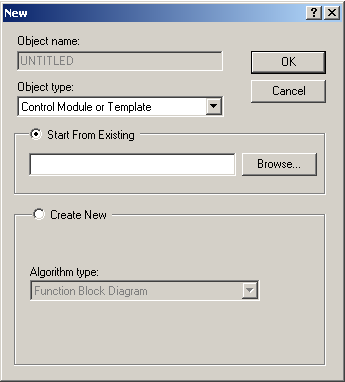
In the
New dialog, select
Start from Existing, and then click the
Browse button.
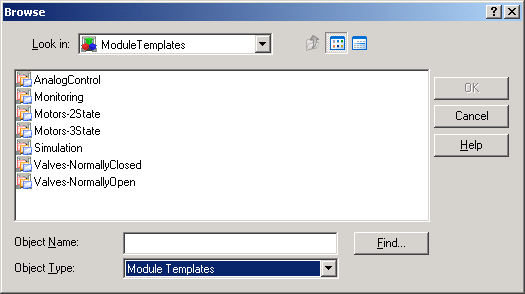
The
Browse dialog appears.
Click the
Object Type field at the bottom of the dialog,
and then select
Module Templates.
In the large center box that lists the contents of Module
Templates, double-click Valves-Normally Closed.
From the contents of Valves-Normally Closed, select VLVNC-11.
(This name is automatically placed in the Object name field.)
Click
OK in the
Browse dialog.
Click
OK in the
New dialog.
Control Studio now displays an untitled copy of the
VLVNC-11 module.
 , and then click