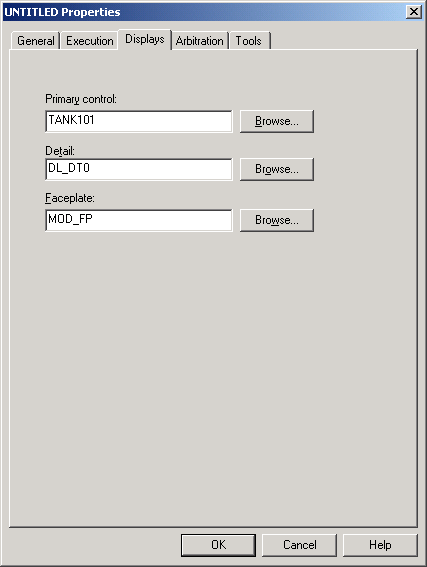
Three types of operator pictures are associated with control modules: the primary control picture, the faceplate, and the detail display.
-
On the
Displays tab, enter TANK101 in the
Primary Control field.
TANK101 will be the primary control picture associated with this control module. You will create TANK101 later.
Note that the fields for the detail display and faceplate are already filled in. All the control module templates in the library have pre-defined detail displays and faceplate s associated with them.