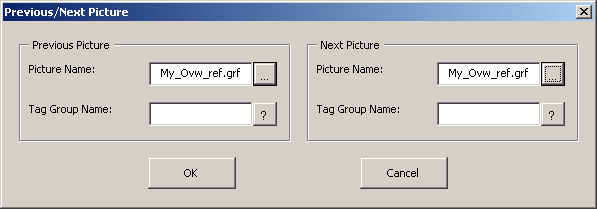
Setting previous and next pictures
Link the TANK101 picture with the Overview
-
Open the TANK101 picture in configure mode if it is not already
open.
-
Double-click the
Previous Picture and
Next Picture buttons in the top left corner of
the TANK101 picture.
-
For the Previous Picture, click the
ellipsis button next to the
Picture Name field.
-
Select My_Ovw_ref.grf, and then click
Open.
-
For the Next Picture, click the
question mark button next to the
Picture Name field, select My_Ovw_ref.grf, and
then click
Open.
-
Click
OK in the
Previous/Next Picture dialog.
-
Save the picture by selecting
.