- In the left pane of DeltaV Explorer, under TANK-101, double-click FIC-101 to open the module.
-
 If necessary, click the
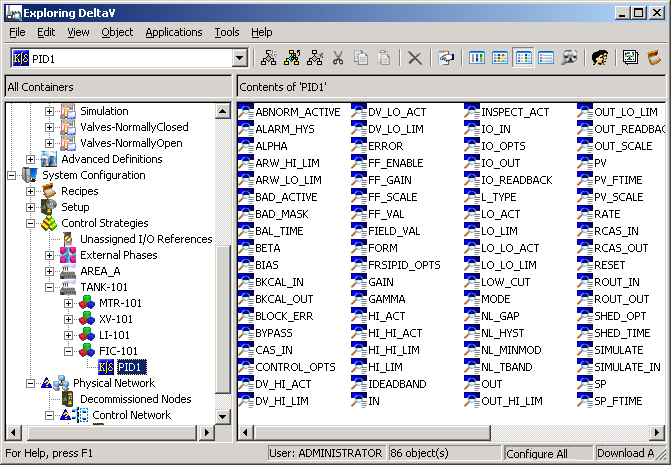
List button to display the contents of the
right pane as shown in the next figure.
If necessary, click the
List button to display the contents of the
right pane as shown in the next figure.
- Select PID1 (the PID loop function block) and make the following changes to the parameters in the right pane.
-
Double-click IO_IN. In the Properties box, enter the Device Tag of FT-1.
-
Double-click IO_OUT, and then enter the Device Tag of FY-1.
-
Double-click GAIN, and then change the value from .5 to 1.
-
Double-click RESET, and then change the value from 10 to 3 (that is, 3 seconds per repeat).
-
Double-click PV_SCALE, and then change the Engineering unit to GPM (gallons per minute).