Configuration errors prevent I/O Studio from being able to save a device configuration. If you try to save a device configuration with an error, I/O Studio displays the following message:
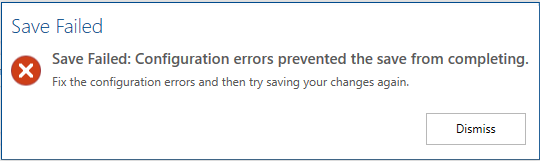
I/O Studio also displays a more specific error message describing the issue that prevents it from saving the configuration. The following table lists the configuration error messages that can appear in I/O Studio, along with explanations of the errors and methods of resolution.
|
A Device cannot be allocated to an undefined CHARM. |
To define the hardware type of the CHARM, open the CIOC/CSLS in a new pane, select the CHARM, and select a hardware type. |
|
Cannot assign this object to this Connection Path. |
Provide a valid name. |
|
The CHARM Hardware Type and the Device Definition are incompatible. |
Update either the hardware type of the CHARM or the device definition of the device. |
|
The Connection Path is invalid. |
The device cannot resolve the provided connection path. Make sure the connection path is valid. Check, for example, that the I/O node exists and that there are no invalid characters in the path. |
|
The Device name is invalid. |
Edit the device name. A name cannot exceed 16 characters, must contain at least one alpha character, and may contain only alphanumeric characters, #, $, -, or _. |
|
The I/O Node where this Device is connected is already assigned to four Controllers. |
One I/O node can be assigned to up to four controllers. Assign this device to one of the four controllers the connected I/O node is already assigned to. |
|
This Compensation Device is not allocated to the same I/O Node as this Device. |
Open the compensation device in a new pane and edit the Connection Path field to re-allocate the compensation device to the same I/O node as the newly configured device. |
|
This Controller is already assigned to 16 different I/O Nodes. |
Each controller can have up to 16 I/O nodes assigned to it. The controller to which you have tried to assign the I/O node connected to this device already has 16 other I/O nodes assigned to it. Assign the I/O node to a different controller. |
Configuration notes and warnings indicate issues that do not prevent saving a configuration but may result in unexpected system behavior. The following table lists the configuration note and warning messages that can appear in I/O Studio, along with explanations of the warnings and methods of resolution.
|
Another Device is allocated to this Connection Path. Saving will unallocate that Device. |
Proceed with saving the configuration if you want to unallocate the device currently allocated to this connection path and allocate the current device. Otherwise, allocate the current device to another compatible connection path. |
|
Pulse Duration is outside the valid range. |
The valid range for Pulse Duration is 2 ms to 130 s. |
|
This Compensation Device is not a Thermocouple or an RTD Device. |
The current device requires a compensation device that is a thermocouple or RTD device. Open the compensation device in a new pane and update the Device Type to as a compatible type. |
|
This Device is already allocated. Saving will reallocate this Device. |
Proceed with saving the configuration if you want to reallocate the device. |
|
The Signal Type and Direction of this reference are not compatible with those of the Device Definition. |
The signal type and direction of the device and the module reference must match. Review the reference and make sure that it is correct. If the reference is incorrect, you can resolve this issue by updating the module that owns the reference. If the reference is correct, you can resolve this issue by updating the Device Definition of this device. |