The Column Terminator terminates the redundant bus. It installs after the last I.S. CHARM Baseplate on the DIN rail.
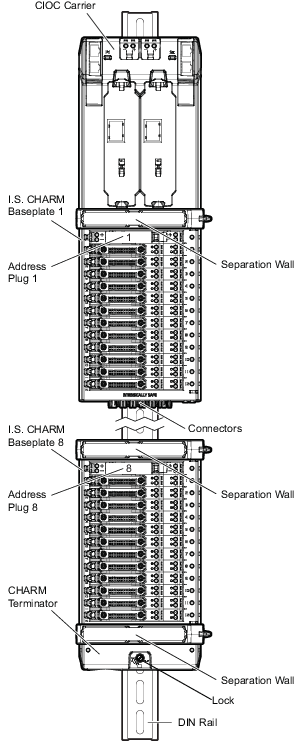
After installing the Column Terminator you can install a DIN Rail Stop and then wire your field devices to the terminal blocks on the baseplates. Refer to the specifications for the I.S. CHARM Terminal Block in the DeltaV S-series and CHARMs Hardware Reference manual for information on the terminal block connectors. After wiring your devices, perform all standard field wiring checkout procedures.