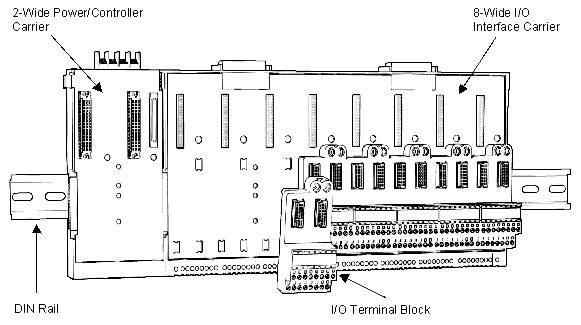
- Locate the assigned slot location on the I/O interface carrier. Place the tabs on the back of the I/O terminal block through the slots on the carrier and push the I/O terminal block up to lock it into place as shown in the following figure.
-
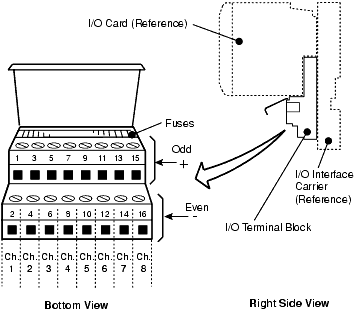
Connect field wiring for the I/O terminal block as shown in
Figure: I/O Terminal Block Channel Assignments
or in the I/O card wiring diagrams in the "Interface Specifications" section.
Note
Field wiring connections are specific to the I/O card type associated with the I/O terminal block.
NoteThe channel assignments in the preceding image pertain to the I/O terminal block, the fused I/O terminal block, and the 4-wire terminal block.