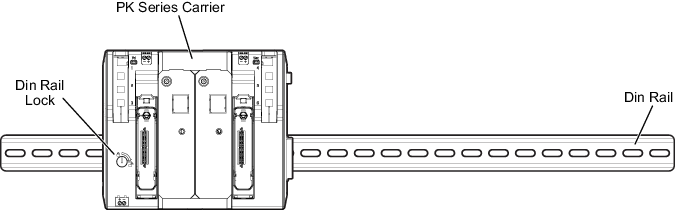
No tools are required to install the PK carrier on the DIN rail. The orange locking device (seen along the top and bottom of the carrier) holds the carrier in place. When the orange locking device is exposed along the top of the carrier, the carrier is unlocked and can slide along the carrier.
- Install the DIN rail at the appropriate location.
- With the carrier lock open (orange tab at the top of the carrier should be up), place the carrier onto the DIN rail.
- Connect each power/controller carrier to any adjacent carriers by sliding the 48-pin connectors on the sides of the carriers together.
- When in place, push the orange carrier lock down to lock the carrier in place on the DIN rail.
Figure: PK Carrier Installed on DIN Rail