Select a base recipe for a campaign
Before you click the Create button on the Create Campaign dialog, you need to specify a recipe to be used as the base production recipe for the campaign. To select a base recipe, click Select on the Create Campaign dialog to display the Select Recipe dialog, shown below.
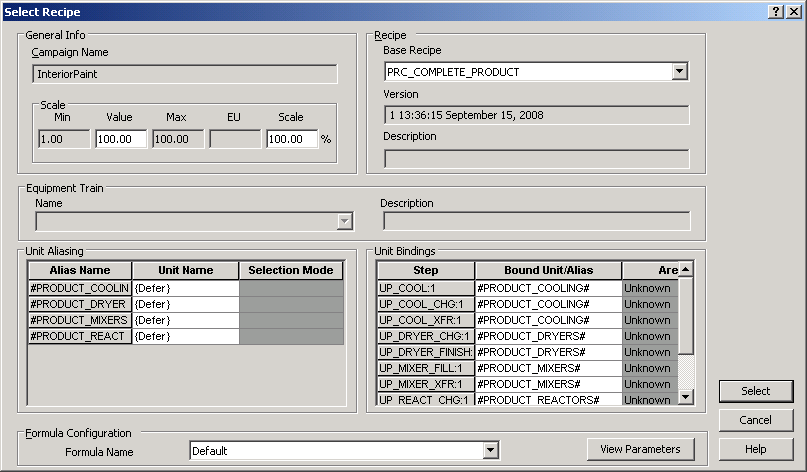
You can scale the batch, change the unit bindings, view the unit alias resolution, load a formula and change parameter values from this dialog. When the recipe is configured as needed, click Select to set it as the base recipe for the campaign.