Equipment definition > Equipment module classes > Configuring the BLENDER_OUTLET equipment module class
Add items to the BLENDER_OUTLET module class
-
Place the cursor in the upper right pane, right-click, and select Add.
-
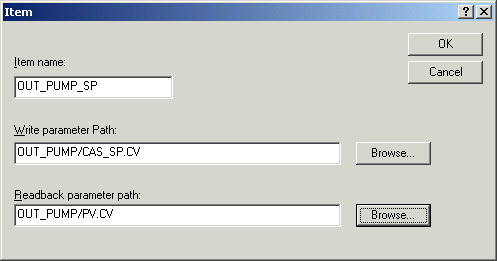
In the Item dialog, enter OUT_PUMP_SP as the Item Name and browse for the write parameter path and readback parameter path.
-
Add a second item, PRODUCT_VLV_SP, and set the parameter paths as follows:
Drive: PRODUCT_VLV/VALVE_SP.CV
Readback: PRODUCT_VLV/PV.CV
-
Add a third item, WASTE_VLV_SP, and set the parameter paths as follows:
Drive: WASTE_VLV/VALVE_SP.CV
Readback: WASTE_VLV/PV.CV
The drive item table now looks like this: