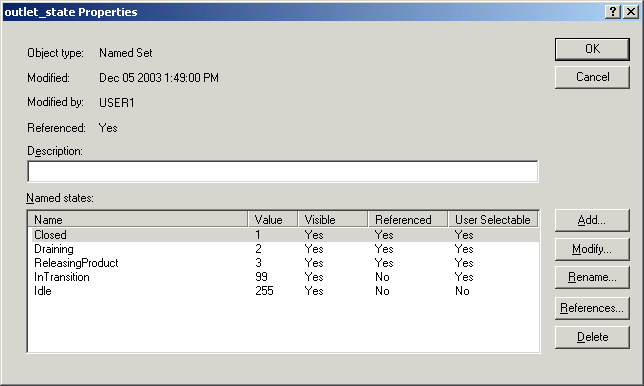
Before creating the equipment module class, we will create the named set (outlet_state) that will be referenced by it.
In the DeltaV Explorer, select Named Sets under System Configuration/Setup.
Right-click and select New Named Set from the context menu.
Rename NamedSet1 to outlet_state.
Double-click outlet_state to open the Properties dialog.
Click Add.
In the State Properties dialog, type the name of the state, Closed, and change the value to 1. Leave the Visible and User selectable check boxes selected.
Add the additional states of Draining (value=2), ReleasingProduct (value=3), InTransition (value=99) and Idle (value=255). When creating the Idle state, remove the check mark next to User selectable.