The Palette in the Control Studio contains all the blocks available in the DeltaV System. These blocks are the foundation of the modules you use in creating your DeltaV system's control strategy.
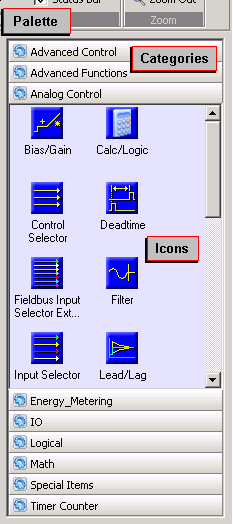
To move an item from the Palette to the diagram, use the drag and drop technique. From the palette, choose the category you need (for example, Analog Control, I/O, Math, Special Items) and select the icon you want. Hold the mouse button down and move (drag) the icon to where you need it on the diagram. When positioned, release the mouse button (drop). The block the icon represents is copied to the Diagram View.
You can create custom palettes to organize the blocks and other items, including composite templates, you use most. However, SIS Composite Templates are not available to add to a custom palette. Refer to the Control Studio online help for more information.