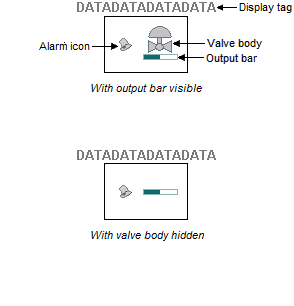
This dynamo can be configured for either a level 1 or level 2 display, or can be customized to include a combination of elements. The table below lists all of the elements that may be present on the HP_C_Valve dynamo when customizing it, and which elements are available when configuring the dynamo for a level 1 or level 2 display. Click the link to see a description of the element.
The Control Valve dynamo has four possible orientations: 0°, 90°, 180°, and 270°.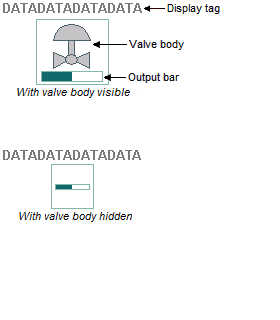
| Dynamo element | Level 1 | Level 2 |
|---|---|---|
| Display tag | YES | YES |
| Dynamo hotspot | YES | YES |
| Dynamo selection | YES | YES |
| Information hover window | YES | YES |
| Alarm box | NO | YES |
| Alarm icons | NO | YES |
| Abnormal status indicators | NO | YES |
| Valve body | YES | YES |
| Output bar | YES | YES |
| Right-click context menu | YES | YES |