The following figure shows the detail display in DeltaV Operate's run mode with the deadtime compensation parameters in the lower right corner. The parameters can be changed on the detail display if you have Restricted Control privilege.
If you enable or disable compensation from the detail display, be sure to first change the PID block mode to manual on the faceplate. After enabling compensation, wait at least one period of deadtime before putting the block back in Auto mode.
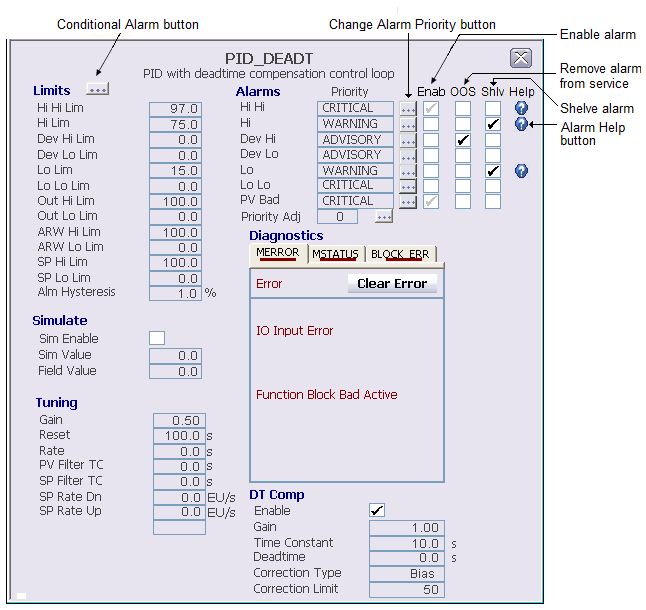
The Correction Type field is read-only. If the calculated correction term is being limited at the Correction Limit value, the word LIMITED appears next to the Correction Limit value in blinking red.