The unit module faceplate display allows the user to perform the following tasks:
-
See active unit phases
-
Create and start new phases in the unit module
-
View the faceplate for the active phases
-
Select the default monitor on which to present the faceplate
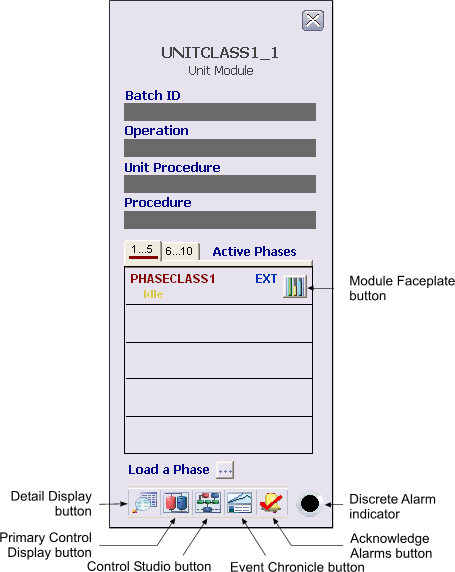
The toolbar contains the following buttons:
-
Detail Display button: open the detail display for the module.
-
Primary Control Display button: open the primary control display.
-
Control Studio button: open Control Studio.
-
Event Chronicle button: open the Process History Viewer.
-
Acknowledge Alarms button: acknowledge all alarms on this module.
Only active phases appear on the unit module faceplate. In order to activate a unit's phase, use the manual phase control view in the Batch Operator Interface or use the Load a Phase button on the unit module faceplate. Once the phase is active, it is possible to view the phase faceplate with DeltaV Operate.