An alarm description can be configured for process alarms in control modules, equipment modules, class-based equipment module instances and SIS modules. Alarm descriptions are particularly useful for SIS modules. Unlike most process control modules, SIS modules typically reference multiple process variables and the module description alone may not convey enough information for SIS operators to quickly locate the source of an individual alarm within the module. The alarm description replaces the module description in the Alarm List and the Event Chronicle's alarm entries and is appended to the module description in the Alarm Banner's information line and in the Alarm Help window. If the alarm description is empty, the module description is presented for the alarm. If the module description is empty, only the alarm description is presented for the alarm.
Alarm descriptions are optional and introduce changes to the runtime environment. It is recommended that you carefully consider the impact of their use on SIS operators.
Configuring alarm descriptions
Alarm descriptions are configured on the Advanced tab of the Alarm
Properties dialog in Control Studio, DeltaV Explorer, and the System Alarm
Management application.
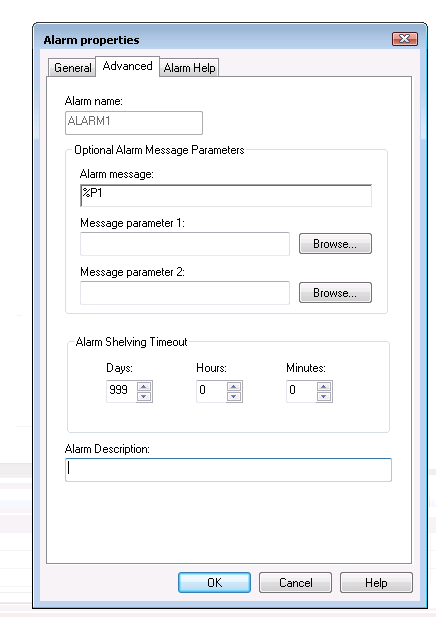
An alarm description cannot exceed 254 UNICODE characters. Alarm descriptions may be truncated in some DeltaV Operate displays such as the Alarm Banner. Alarm descriptions can be configured for alarms in the following alarm containers:
- SIS control modules
- Non-SIS control modules
- Non-SIS class-based control module instances
- Process alarms in the following alarm containers:
Alarm descriptions cannot be configured for alarms in the following alarm containers:
- Fieldbus device alarms
- HART device alarms
- HART device templates
- External asset device alarms
- DeltaV hardware alarms
- Process alarms in the following alarm containers:
Alarm descriptions are exported as part of the containing module's configuration or using the Module_Alarm object type.
Where are alarm description visible at runtime?
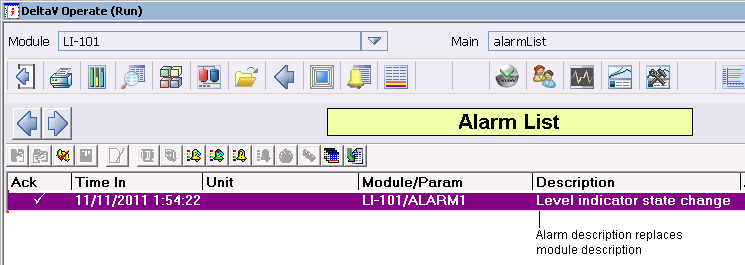
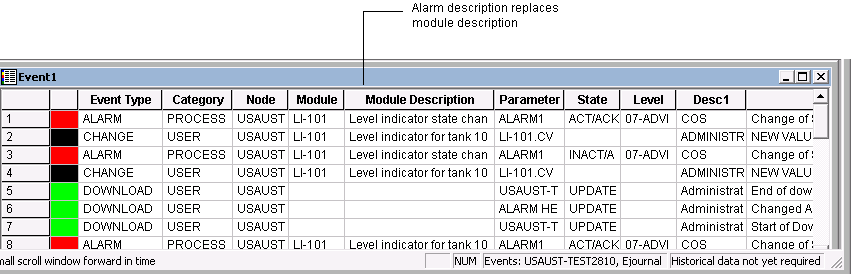

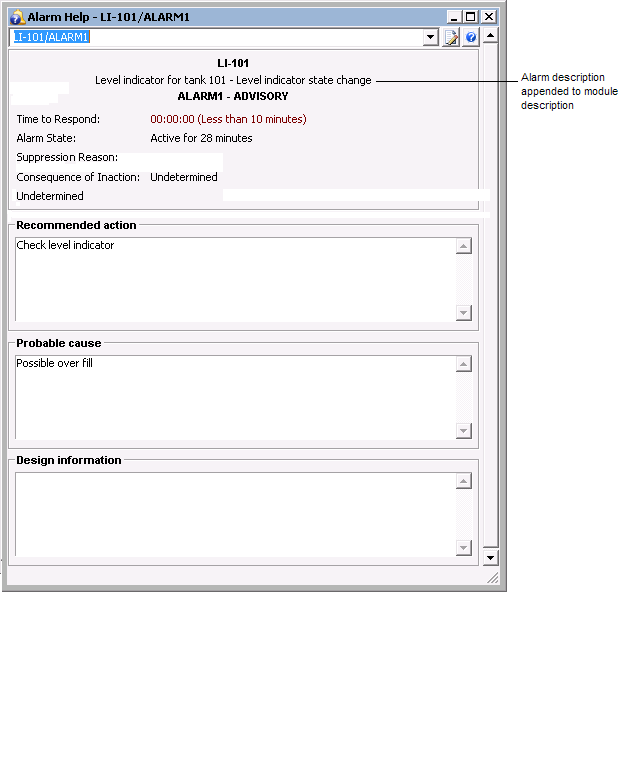
Alarm descriptions do not appear in the alarm list in the System Alarm Management application however, alarm descriptions are included in the printed document when the Print To XML option is selected in System Alarm Management. If an alarm description is configured for an alarm in a module with no module description, only the alarm description is presented at runtime. If a module description is configured and an alarm description is not configured, only the module description appears at runtime.
Downloading alarm descriptions
For modules assigned to a node, modifying or adding an alarm
description does not require a module or node download. The download required
blue triangle ( )
does not appear on either the module or node when an alarm description is added
to or modified for an assigned module. Alarm descriptions are downloaded
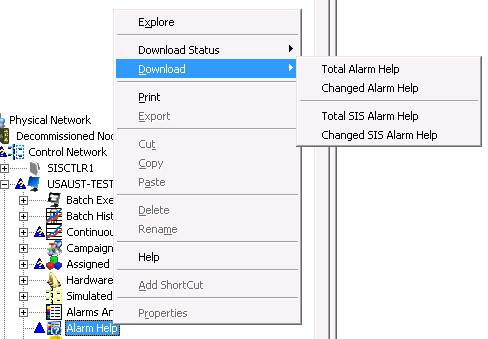
through the Alarm Help subsystem in the DeltaV Explorer. The download options
from the Alarm Help subsystem are Total Alarm Help and Changed Alarm Help for
process models and Total SIS Alarm Help and Changed SIS Alarm Help for SIS
modules.
)
does not appear on either the module or node when an alarm description is added
to or modified for an assigned module. Alarm descriptions are downloaded
through the Alarm Help subsystem in the DeltaV Explorer. The download options
from the Alarm Help subsystem are Total Alarm Help and Changed Alarm Help for
process models and Total SIS Alarm Help and Changed SIS Alarm Help for SIS
modules.
SIS Module Wide Faceplate
A SIS faceplate (SIS_MODE_WIDE_fp) shows the alarm description in its active and suppressed alarm lists.
Bulk editing alarm descriptions
Bulk editing alarm descriptions is no different from bulk editing other types of alarm information. The following format specification files that are included in the DeltaV installation include an alarm_description data field for each alarm in a module:
- AnalogMonitor_Module.fmt
- DiscreteMonitor_Module.fmt
- Module_Alarm.fmt
- Module_AlmHlp.fmt
- Motor_Valve_Modules.fmt
- SIS_Module_AlmHlp.fm
You can also create your own format specification file.
The general procedure to bulk edit alarm descriptions is: