The DeltaV Wireless I/O Network contains Wireless I/O Cards (WIOCs) and Wireless Gateways. The Wireless I/O Network must be enabled as a DeltaV System Preference before it is available to the DeltaV system. To enable the Wireless I/O Network, click .
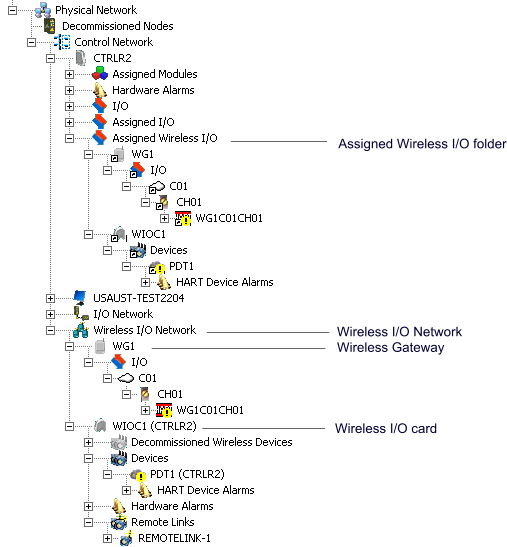
After the Wireless I/O Network is enabled, it appears under the Control Network in the DeltaV Explorer. WIOCs and Wireless Gateways are added to the Wireless I/O Network from DeltaV Explorer.
The following image shows a DeltaV Explorer hierarchy with a Wireless I/O Network containing one WIOC and one Wireless Gateway. The Assigned Wireless I/O container holds a WIOC and a Wireless Gateway (WG1).