Origination details
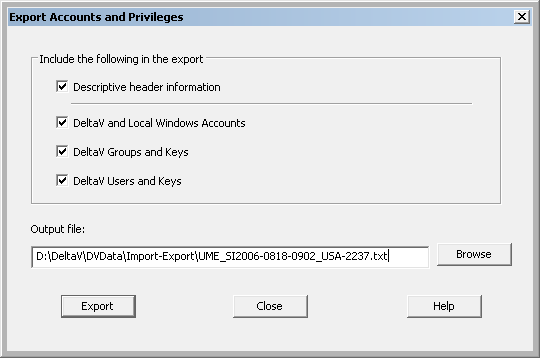
If you enable the Descriptive header information option in the Export Accounts and Privileges dialog before exporting one or more report sections, the first line contains column header labels, followed by information about the report originator. If you do not enable the Descriptive header information option, column header labels are also disabled for any additional report sections selected.
Disabling the Descriptive header information option is useful, for example, when you create multiple reports on different DeltaV workstations, and then concatenate them by using a PowerShell script or batch file.
Text file encoding and format
Report files are Unicode encoded and can be opened in any Unicode-compliant text editor or application. When saving a report file as a text file after editing it in an application, you should specify Unicode Text as the file encoding type.
Each column header label and value field in a report file is separated from the next by a TAB character. If you open a report in Microsoft Excel, for example, columns are retained and data is formatted according to the defaults set for new documents in Microsoft Excel.