Note
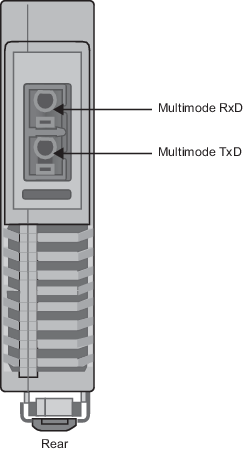
The multimode fiber-optic cable on the SISNet Repeater connects to the SISNet Distance Extender through a conversion cable. The SISNet Repeater end of the conversion cable has an ST male and the SISNet Distance Extender end of the conversion cable has an SC male.
- Install the SISNet Distance Extender on the DIN rail.
- Connect multimode fiber-optic cable TxD to RxD between the SISNet Repeaters and SISNet Distance Extenders.
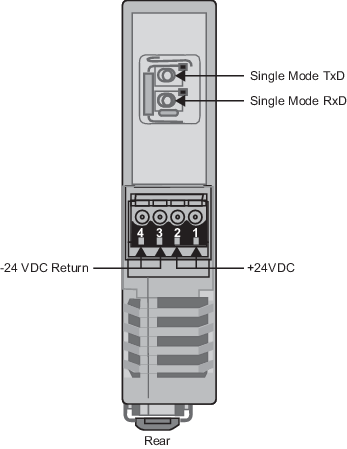
- Place a single mode fiber-optic cable end onto the SISNet Distance Extender's RxD terminal and push the cable into place.
- Place the other end onto the TxD terminal of the predecessor SISNet Distance Extender and push the cable into place.
- Place a single mode fiber-optic cable end onto the SISNet Distance Extender's TxD terminal and push the cable into place.
- Place the other end onto the RxD terminal of the successor SISNet Distance extender and push the cable into place.
- Connect together all SISNet Distance Extenders.