Barcode, the application in this tutorial, is a Visual Basic 4.0 program that interfaces between a bar-code scanner attached to the serial port of the Application Station and the DeltaV OPC Data Access Server. In the DeltaV controller, the "Opc-Sample" SFC is running a process to produce ice cream from various recipes. When the recipe selected is "Fudge Ripple", one of the steps in the SFC will pause for the operator to add a dry ingredient manually. When the Barcode application starts up, it reads the target ingredient information from DeltaV software and monitors the step of the SFC. When the step becomes "DRY_ADD", the user is asked to scan the ingredient label (as if the ingredient was added to the process) and click the Update DeltaV button. The application writes the actual ingredient information back to DeltaV software and sets a flag allowing the SFC to continue.
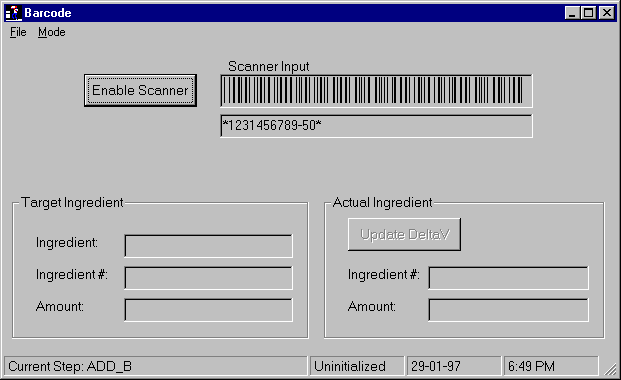
The example application, Barcode, is a Visual Basic application and therefore uses the Automation interface to the DeltaV OPC Data Access Server. To write an OPC client that uses the custom interface, the user would include the same basic steps. However, this process is rather detailed and is not fully covered in this topic.
In this tutorial you will:
-
Open the example project. This project already has code for reading data from the bar-code reader. It does not have any references to OPC.
-
Reference OPC in your project and include files to define OPC constants
-
Add the code to connect and disconnect to the DeltaV OPC Data Access Server, create and destroy a group, add and remove items.
-
Request exception reporting on the items in your group.
-
Set values in DeltaV software through OPC calls.
It takes approximately 2 hours to complete this tutorial.