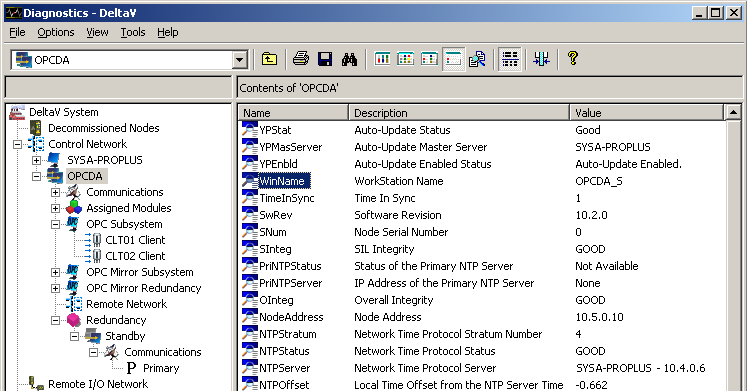
To monitor or get diagnostic information about the redundancy subsystem and the Application Station pair with redundant DeltaV OPC Data Access Server, run the DeltaV Diagnostics program on the DeltaV ProfessionalPLUS workstation or a DeltaV workstation.
Parameter values appearing in the DeltaV Diagnostics program on the Application Station running the standby DeltaV OPC Data Access Server are not updated. Because inconsistent and/or erroneous data may result after a switchover, you should always run DeltaV Diagnostics on the DeltaV ProfessionalPLUS workstation or a DeltaV workstation other than the Application Stations where redundancy has been enabled for assigned modules in a virtual controller, OPC Data Access Server, OPC Mirror, or Redundant DeltaV Connect.
For example, to get information about OPC clients connected to a redundant DeltaV OPC Data Access Server, refer to the diagnostic parameters under , where nodename is the name of the Application Station with redundant DeltaV OPC Data Access Server and CLTnn Client is an OPC client. Or, to identify the workstation name where the active DeltaV OPC Data Access Server is running, go to the WinName parameter under . Similarly, the workstation name where the current standby DeltaV OPC Data Access Server is running appears in the WinName parameter under .