The host machine contains the production database (your active database) and the database server (DvDBServer). It is also the machine where the federated database, production database, and Lock Server reside. The host machine must be the ProfessionalPLUS machine.
There is always only one host machine and only one active database per DeltaV system. The host is the machine that controls all of the other workstations through the Database Server application. It is also referred to as the ProfessionalPLUS machine. The active database and the Lock Server reside on the host machine. The host machine controls all access to the DeltaV database.
All other workstations (also referred to as Visual machines) must point to the appropriate machine as the host machine and therefore recognize the one active database residing on the host. The Visual workstations have access to the database and DeltaV applications based on the Database Server, which resides on the host machine.
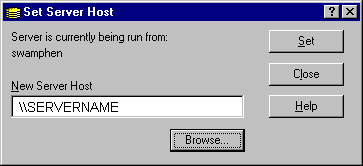
The Set Server Host tool is used to designate which machine is acting as the primary machine.
In order for all of the workstations in the DeltaV system to reference the active host, the Set Server Host tool calls the Synchronize Workstations tool.
The host machine must have the Federated database (configdb.hdb.FDB), the Boot file related to the Federated database (configdb.hdb), the data files that make up the DeltaV control database, and the Objectivity Lock Server residing on it.