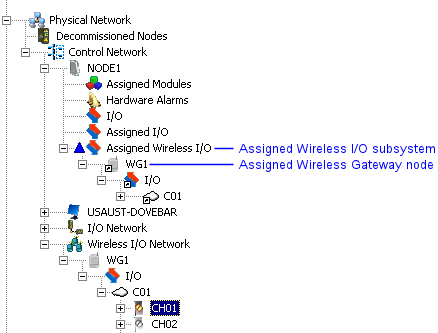
Wireless Gateway nodes are added to the Wireless I/O Network by selecting the Wireless I/O Network and selecting from the context menu. Wireless Gateway nodes must be assigned to a DeltaV controller. To assign a Wireless Gateway node to a controller, drag the Wireless Gateway node to the Assigned Wireless I/O subsystem under the controller. Another way to assign a Wireless Gateway node to a controller is to select the Wireless Gateway node, select Assign from the context menu and browse to the controller. The Wireless Gateway node, cloud, and channels are assigned to the controller. Up to 16 Wireless Gateway nodes can be assigned to a DeltaV controller.