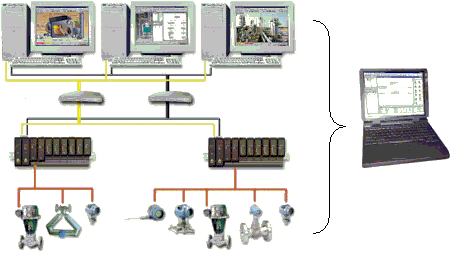
DeltaV Simulate Suite consists of the following products:
DeltaV Simulate Standalone and DeltaV Simulate Multinode are the DeltaV license options that enable you to install all DeltaV software on standalone or networked PCs for off-line development and operator training.
You can add DeltaV SimulatePro capability to either the Simulate Standalone or Simulate Multinode products. This document explains how to use DeltaV SimulatePro. Use the expert features of DeltaV SimulatePro to get the most out of system checkout and operator training. Process simulation packages that have an OPC interface work directly with DeltaV Simulate without requiring controller hardware.
DeltaV Simulation Overview
With DeltaV Simulate, you can simulate the execution of operator interface and selected control modules defined for your plant. You can use this capability for control logic checkout. Also, using the Control and I/O block simulation capability of the DeltaV system and fieldbus, field measurement values and status can be manually supplied to the simulation or provided by blocks used to simulate the process.
The full range of OPC features in the DeltaV system are available with DeltaV Simulate. You can use this capability for the development and testing of OPC interfaces to the DeltaV system. Also, before your plant is even constructed, you can use OPC-compliant process simulation packages with DeltaV Simulate for process and control design checkout one controller at a time.
DeltaV Simulate allows you to perform the following tasks:
- Engineer DeltaV systems anywhere. You can do engineering work without the constraints of working at a dedicated configuration workstation. You can install DeltaV Simulate on your home or office computer or on a laptop. You can export work that was done on your computer and then import it to your DeltaV control system.
- Verify control logic and display implementation. Software modules configured for your plant control can be executed in your computer for control and display checkout. Using the simulate capability of both DeltaV I/O blocks and fieldbus I/O blocks, you can set a measurement value and status to check out control logic, operator displays, alarms, and trending. Using the Simulate Conversion utility in SimulatePro, you can simulate the measurement, actuation and logic that will be provided through fieldbus devices in your control system. Also, by using the Simulate Conversion utility, external references to I/O can be redirected to allow the parameter values to be read and written.
- Test OPC interfaces to the DeltaV system. DeltaV Simulate fully supports DeltaV OPC. Executing modules in the computer allows an OPC interface to be checked out completely. You can use this feature to develop applications that can execute in the DeltaV Integration station.
- Support DeltaV training. You can create dynamic process simulations to support operator and engineering training one controller at a time. You can also use function blocks that represent a process model or process simulation packages to use DeltaV Simulate as a training tool.
- Reduce Training and Checkout Time. Using SimulatePro you can change the execution rate of the simulation and save and restore the system state at any time. Both of these features make it faster and easier to perform operator training and system checkout.
DeltaV Simulation Operation
After installing DeltaV Simulate, most DeltaV system features are available for operation. In a standalone installation, your computer acts as a ProfessionalPLUS workstation. Using your computer, you can configure controllers and workstations that will be on your DeltaV system. You can also configure DeltaV devices offline, including any fieldbus devices that will be included in your control system. The configuration you develop can be exported later for installation on your DeltaV Control system.
You must log in to DeltaV as a user with configure and download privileges before you start DeltaV SimulatePro for the application to be able to connect to the OPC server.
Modules used to implement the monitoring, process control, and calculation functions of a DeltaV system are normally assigned to a DeltaV controller. In the DeltaV Simulation environment, you assign these modules to your computer for execution. After a download, the modules execute in the computer at their configured execution rate. You can view parameters of the blocks executing in a module in Control Studio's online mode as if the module were executing in a DeltaV controller. Most of the features of a complete DeltaV control system are made available on your computer as shown in the following figure.